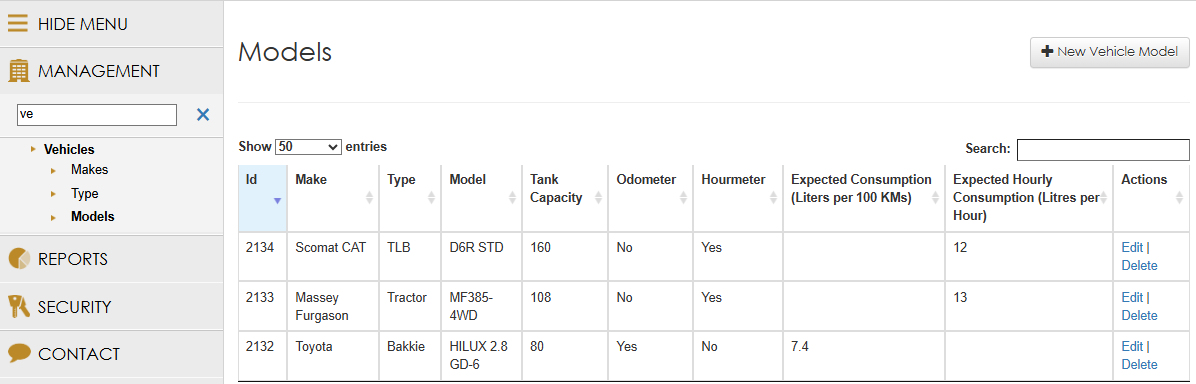
 Navigate to the
"Vehicle" Menu item >
Make: Enter the vehicle's make. (e.g., Massey Ferguson, John Deere)
Type (Vehicle Descriptor): Assign a "Type" that serves as a descriptive identifier to group similar vehicles and understand their function (e.g., "Bulldozer," "Grader," "Haul Truck," "Light Vehicle," "Tractor," "Crusher"). This facilitates comparative analysis.
Tank Capacity: Always record the precise "Tank Capacity" for each vehicle. This is critical for future reporting and system functionality.
Meter Presence & Expected Consumption:
Select the appropriate "Meter Present" (Odometer, Hour Meter, or both)
Input the "Expected Consumption" for each selected meter, ensuring the unit is correct (e.g., "Liters per Hour" or "Liters per 100 KMs"). This baseline is crucial for deviation analysis.